

Document Scanners maintenance
With any piece of technology or equipment, regular maintenance is key to ensuring you get the most out of your purchase.
Thank you for reading this post, don't forget to subscribe!A well-maintained scanner enhances performance and can save you from replacement costs and repairs down the line. This is especially essential for those on a budget or who rely heavily on their scanner for their business.
So, in order to keep your scanner in great condition, it’s important to follow these six steps:
1. Clean the Scanner Regularly
Scanners can harbour dust, grime, and dirt, causing technological issues such as smudges and paper jams.
Dirt buildup on the scanner glass can affect the clarity of your scans, whilst a buildup of debris on the rollers can cause your documents to misfeed or jam.
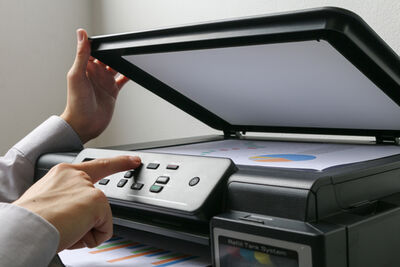
To avoid this, unplug your scanner from the socket and clean the scanner glass with a lint-free cloth and glass cleaner. Move the cloth in a circular motion to get rid of fingerprints and smudges.
Then, clean the rollers with a damp cloth and water or a mild cleaning solution. Ensure the rollers are dry before inserting them back into your scanner.
2. Handle with Care
Due to the fragility of scanners, they need to be handled with care and precision to prevent long-term damage.
Reckless handling can lead to cracks, scratches, or internal damage, rendering the scanner useless. To avoid this, always keep your scanner on a flat surface and in a dust-free area.
Always use a storage box when transferring your scanner to a new location to prevent it from breaking against pressure or force. When scanning documents, always ensure they are free from staples or clips.